
Your child’s digital footprint begins the day you create their first online account. By age 13, the average child has over 70 accounts tied to their identity, and many of those contain financial data, login credentials, or access to family wealth stored in crypto wallets, brokerage apps, and cloud-based vaults. If you hold digital assets, your children inherit not just the wealth, but the security risks that come with it. Learning how to protect digital wealth for children means teaching them to guard credentials, recognize threats, and understand how digital inheritance works long before they need to claim it.

How to Protect Digital Wealth for Children with Strong Passwords and Two-Factor Authentication
Weak passwords are the easiest way for attackers to access accounts tied to your family’s wealth. Over 81% of data breaches in 2026 involve compromised credentials, and children reuse passwords across an average of 12 accounts.
Teach your children to use unique passwords for every account. A password manager like 1Password or Bitwarden generates and stores complex passwords, so they only need to remember one master password. For children under 12, you control the master password. For teens, share management but require your approval for high-risk accounts like email, banking, or crypto wallets.
Two-factor authentication (2FA) blocks 99.9% of automated attacks. Enable it on every account that holds value: email, cloud storage, financial apps, and social media. Use authenticator apps like Authy or Google Authenticator instead of SMS codes, which can be intercepted through SIM-swapping attacks.
- Set up a family password manager with shared vaults for joint accounts
- Enable 2FA on all accounts tied to financial assets or personal data
- Review your child’s saved passwords quarterly and update weak or reused credentials
- Store recovery codes in a secure location, not on the same device as the authenticator app
If you store crypto seed phrases or wallet access credentials, secure storage for crypto seed phrases is critical. A password manager protects login credentials, but seed phrases require zero-knowledge encryption and legal-gated access to ensure your family can recover assets without exposing them to theft.

Lock Down Privacy Settings and Device Controls
Default privacy settings on social media, gaming platforms, and mobile apps expose more data than most families realize. Apps request access to contacts, location, camera, and microphone, often without a clear reason. Children under 16 grant an average of 34 app permissions without reading what they allow.
Review privacy settings on every device and app your child uses. Disable location tracking unless the app requires it to function. Turn off ad personalization, data sharing with third parties, and automatic cloud backups for sensitive files. On iOS, use Screen Time to restrict app installations, in-app purchases, and access to explicit content. On Android, use Family Link to set similar controls.
Device-level controls prevent unauthorized purchases and accidental exposure of financial data. Set up separate user profiles on shared devices so your child cannot access your email, banking apps, or password manager. Use biometric locks (Face ID or fingerprint) on devices that store sensitive information, and require a PIN for purchases or account changes.
- Audit app permissions every 3 months and revoke unnecessary access
- Disable cloud photo backups for images that contain sensitive documents or QR codes
- Turn on “Ask to Buy” for children under 18 to approve app purchases
- Set up geofencing alerts to notify you when your child’s device leaves a safe zone
For families holding digital assets, privacy settings matter even more. A single screenshot of a seed phrase uploaded to iCloud or Google Photos can be accessed by anyone who compromises that account. Vesperly Vault uses zero-knowledge encryption to store seed phrases and credentials, ensuring even the platform itself cannot view your data.
Teach Children to Recognize Phishing and Social Engineering
Phishing attacks targeting children increased 47% between 2025 and 2026, with scammers impersonating gaming platforms, social media services, and even school administrators. Children are more likely to click suspicious links because they trust familiar brands and lack experience spotting red flags.
Show your children real examples of phishing emails, texts, and direct messages. Point out warning signs: misspelled URLs, urgent language demanding immediate action, requests for passwords or verification codes, and links that don’t match the claimed sender. Teach them to hover over links before clicking to reveal the true destination.
Role-play common scams so your children know how to respond. Practice scenarios like “You won a prize, click here to claim it” or “Your account will be deleted unless you verify now.” Explain that legitimate companies never ask for passwords, seed phrases, or 2FA codes via email or text.
- Set up email filters to flag external messages and highlight suspicious senders
- Teach children to verify requests by contacting the company directly through official channels
- Use a family signal word that only you and your child know, so they can confirm your identity in urgent situations
- Report phishing attempts to the FTC at reportphishing@apwg.org to help track patterns
According to the FBI’s 2026 Internet Crime Report, social engineering attacks cost families an average of $12,400 per incident, with children under 18 involved in 22% of cases where credentials were compromised.
If your family holds crypto or digital assets, phishing is the most common attack vector. Scammers impersonate wallet providers, exchanges, and even estate planning services to steal seed phrases. Without a clear digital legacy plan, your family may not know which messages are legitimate during a crisis.

Protect Children on Public Wi-Fi and Shared Devices
Public Wi-Fi networks at coffee shops, airports, and libraries are unencrypted and easy to intercept. Attackers use tools like packet sniffers to capture login credentials, session cookies, and unencrypted data transmitted over these networks. Children using public Wi-Fi to check social media or play games may inadvertently expose accounts tied to family wealth.
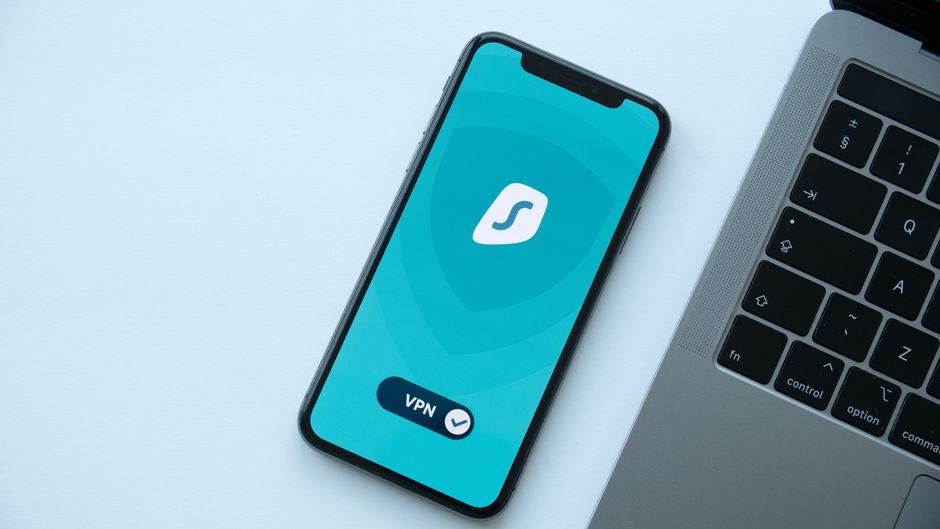
Teach your children never to log into financial accounts, email, or password managers on public Wi-Fi. If they must use a public network, require a VPN like Mullvad or ProtonVPN to encrypt all traffic between their device and the internet. A VPN costs $5 to $10 per month and prevents most interception attacks.
Shared devices at schools, libraries, and friends’ homes pose similar risks. Browsers save passwords, autofill forms, and store session cookies that allow anyone using the device after your child to access their accounts. Teach your children to use private browsing mode (Incognito or Private Window) and log out of all accounts when finished.
- Install a VPN on your child’s phone, tablet, and laptop with auto-connect enabled
- Disable password saving in browsers on shared devices
- Teach children to clear browsing history and cookies after using a public or shared device
- Use a separate “travel” email account for low-risk logins on public networks
For families with digital assets, public Wi-Fi is a high-risk environment. Never access crypto wallets, brokerage accounts, or estate planning platforms like Vesperly Vault over unencrypted networks. If you must check account status, use your phone’s cellular data instead of public Wi-Fi.

Implement Age-Appropriate Digital Wealth Education
Children need different levels of access and education depending on their age. A 7-year-old should understand that passwords are private and not to be shared, even with friends. A 14-year-old should know how to enable 2FA, recognize phishing, and understand that digital assets have real financial value.
For children ages 5 to 10, focus on basic privacy rules. Teach them never to share passwords, full names, addresses, or photos with strangers online. Use parental controls to limit screen time and restrict access to age-inappropriate content. At this stage, you control all accounts and devices.
For children ages 11 to 15, introduce password managers, 2FA, and phishing awareness. Give them supervised access to low-risk accounts like streaming services or gaming platforms. Discuss the concept of digital assets and explain that some family accounts contain valuable information that must be protected.
For teens ages 16 and up, teach them about digital estate planning fundamentals and how wealth transfers work. Explain that crypto, NFTs, and online accounts require specific instructions to access after death. If your family holds significant digital assets, introduce them to the concept of seed phrases, hardware wallets, and legal-gated access.
- Ages 5-10: Basic privacy rules, no password sharing, supervised device use
- Ages 11-15: Password managers, 2FA, phishing recognition, limited account access
- Ages 16+: Digital estate planning, seed phrase security, inheritance planning
Start the conversation about digital inheritance early. If your children will inherit crypto or digital assets, they need to understand how to access them securely. Vesperly Vault allows you to designate executors and set legal-gated access rules, so your family receives credentials only after proper verification, reducing the risk of theft or loss.

Freeze Your Child’s Credit and Monitor for Identity Theft
Children are 51 times more likely to be victims of identity theft than adults because their credit files are clean and often go unchecked for years. Criminals open credit cards, take out loans, and file fraudulent tax returns using stolen Social Security numbers, and families often don’t discover the fraud until the child applies for their first credit card or student loan.
Place a credit freeze on your child’s file with all three major credit bureaus: Equifax, Experian, and TransUnion. A freeze prevents anyone from opening new accounts in your child’s name. The process is free and can be done online in 10 to 15 minutes per bureau. You’ll receive a PIN to lift the freeze temporarily if your child needs to apply for credit later.
Identity monitoring services alert you to suspicious activity before it causes long-term damage. Services like IdentityForce or PrivacyGuard scan the dark web for your child’s personal information and notify you if their Social Security number, email, or other data appears in breaches. These services cost $10 to $25 per month per child.
- Freeze your child’s credit at all three bureaus before age 1 if possible
- Check your child’s credit report annually at AnnualCreditReport.com to verify no accounts exist
- Store credit freeze PINs in a secure location like a password manager or encrypted vault
- Monitor your child’s Social Security number for use in tax filings or loan applications
If your family holds crypto or digital assets, identity theft can extend beyond credit. Attackers use stolen identities to impersonate executors, bypass legal-gated access, and claim digital wealth. RUFADAA-compliant platforms for digital asset protection like Vesperly Vault require legal verification before granting access, reducing the risk of fraudulent claims.
Create a Family Digital Inheritance Policy
Most families discuss physical assets like homes, cars, and savings accounts, but fewer than 30% have a plan for digital wealth. If you hold crypto, NFTs, or other digital assets, your children need to know how to access them after your death. Without clear instructions, your family may lose access permanently.
Start by documenting every account, wallet, and platform that holds value. Include login credentials, seed phrases, hardware wallet locations, and recovery instructions. Store this information in a zero-knowledge encrypted vault that only authorized executors can access. Paper backups stored in safes or bank vaults can be lost, stolen, or damaged, and they don’t account for changing passwords or new accounts.
Legal-gated access ensures your family receives credentials at the right time without exposing them to theft. Platforms like Vesperly Vault use heartbeat monitoring to detect inactivity and trigger a verification process. Your designated executor must provide legal documentation, such as a death certificate, before the vault releases access. This prevents unauthorized access while ensuring your family isn’t locked out.
- List all accounts, wallets, and platforms that hold digital assets or financial value
- Store credentials, seed phrases, and recovery instructions in a zero-knowledge encrypted vault
- Designate at least two executors who understand how to access and manage digital assets
- Review and update your digital inheritance policy every 6 months as accounts change
If you hold NFTs, discuss what happens to NFT assets after death. Many NFT platforms require specific transfer instructions, and without access to the wallet, your family cannot claim ownership. Seed phrase inheritance planning is one of the most overlooked aspects of crypto estate planning, and it’s the difference between your children receiving your wealth or losing it forever.
Frequently Asked Questions
How do I protect my child from online scams?
Teach your child to recognize phishing emails, suspicious links, and requests for personal information. Show them real examples of scams targeting children, such as fake prize notifications or impersonated gaming platforms. Enable email filters to flag external messages, and explain that legitimate companies never ask for passwords or verification codes via email or text. Practice role-playing common scam scenarios so your child knows how to respond.
How can I keep my child safe on social media?
Review privacy settings on every social media platform your child uses and disable location tracking, data sharing with third parties, and ad personalization. Set accounts to private so only approved contacts can view posts and send messages. Teach your child never to share personal information like full names, addresses, phone numbers, or school names publicly. Monitor friend requests and direct messages for suspicious accounts, and report harassment or inappropriate content immediately.
What are the best parental controls for kids’ devices?
Use Screen Time on iOS or Family Link on Android to restrict app installations, in-app purchases, and access to explicit content. Set daily screen time limits and schedule downtime during homework or bedtime. Enable geofencing alerts to notify you when your child’s device leaves a safe zone. For younger children, use kid-safe browsers like Bark or Qustodio that filter inappropriate content and monitor online activity. Review app permissions quarterly and revoke unnecessary access to contacts, location, and camera.
How do I protect my family’s online accounts?
Use a password manager to generate and store unique passwords for every account, and enable two-factor authentication on all accounts tied to financial assets or personal data. Review account activity logs monthly to spot unauthorized logins. Store recovery codes and backup authentication methods in a secure location separate from your primary devices. For accounts holding digital wealth like crypto wallets or brokerage apps, use zero-knowledge encrypted storage like Vesperly Vault to ensure only authorized executors can access credentials after your death.
How do I teach children about digital safety?
Start with age-appropriate lessons based on your child’s maturity level. For children ages 5 to 10, focus on basic privacy rules like not sharing passwords or personal information. For ages 11 to 15, introduce password managers, two-factor authentication, and phishing recognition. For teens ages 16 and up, discuss digital estate planning, seed phrase security, and how digital wealth transfers after death. Use real examples, practice scenarios, and review their online activity together to reinforce lessons.
How to protect digital wealth for children if I hold crypto or NFTs?
Document every wallet, exchange account, and platform that holds digital assets, including login credentials and seed phrases. Store this information in a zero-knowledge encrypted vault with legal-gated access, so your family can recover assets only after proper verification. Designate at least two executors who understand how to access and manage crypto. Review your digital inheritance policy every 6 months as accounts and passwords change. Without a clear plan, your family may lose access to crypto permanently.
Should I freeze my child’s credit?
Yes, place a credit freeze on your child’s file with all three major credit bureaus as early as possible, ideally before age 1. A freeze prevents criminals from opening credit cards, loans, or other accounts in your child’s name. The process is free and takes 10 to 15 minutes per bureau. You’ll receive a PIN to lift the freeze temporarily if your child needs to apply for credit later. Check your child’s credit report annually to verify no fraudulent accounts exist.
Ready to Get Started?
Protecting digital wealth for children requires more than strong passwords and privacy settings. Your family needs a clear plan for accessing crypto, seed phrases, and financial accounts after your death. Vesperly Vault stores your credentials using zero-knowledge encryption and releases them to your designated executors only after legal verification. Your children inherit your wealth, not the risk of losing it. Start securing your digital legacy today.