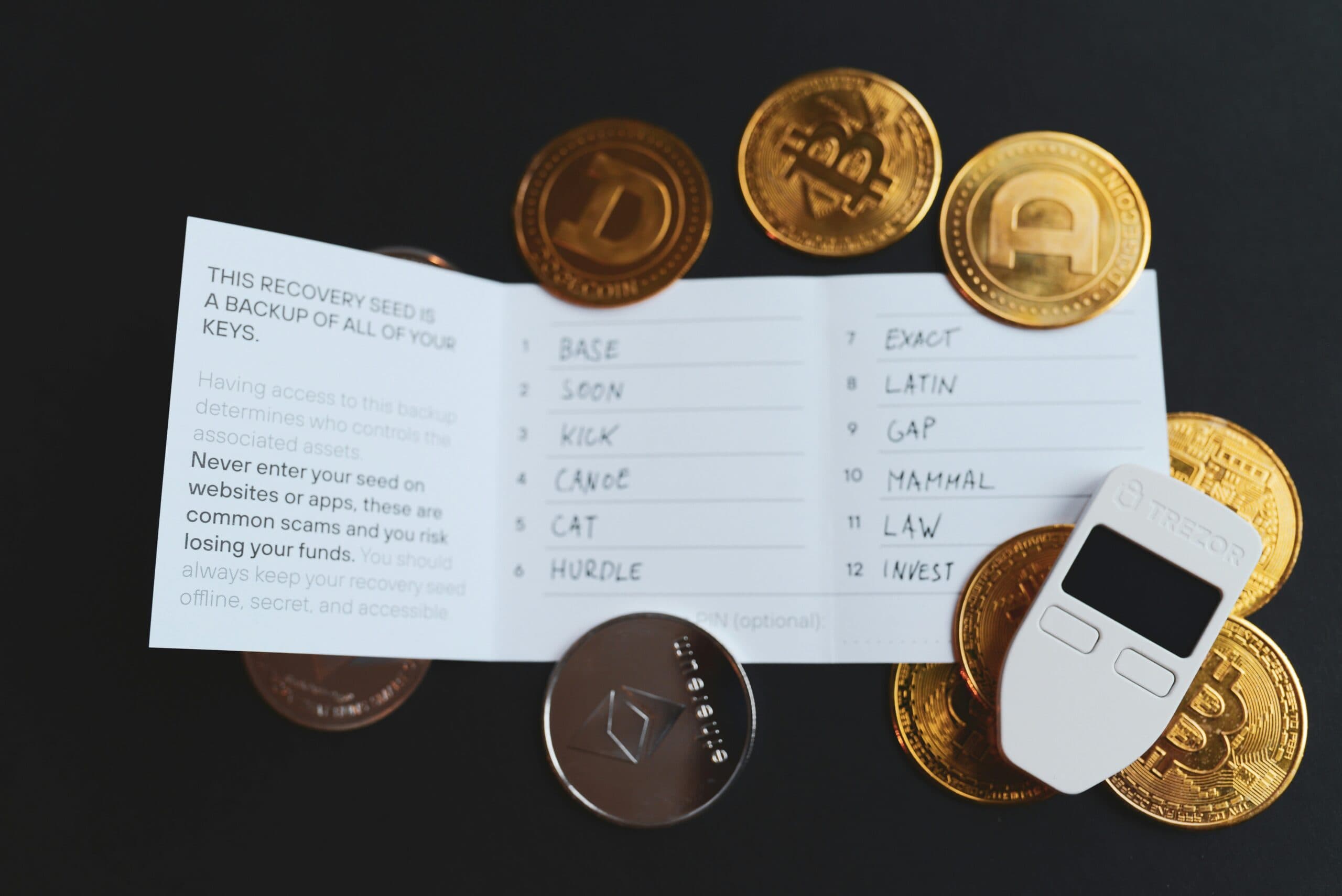
Most people have spent years building their digital life, but only 32% have a plan for what happens to it after they die. Your email accounts, social media profiles, cryptocurrency wallets, photo libraries, and subscription services will all outlive you. Without a clear plan, your family faces locked accounts, lost assets, and months of frustration trying to piece together your digital footprint. The best digital legacy planning services solve this problem. They organize your accounts, store credentials securely, and ensure the right people can access what they need when the time comes.

What Digital Legacy Planning Actually Covers
Digital legacy planning means organizing every online account, digital asset, and piece of stored information so your family or executor can manage it after your death. This includes financial accounts, social media profiles, email, cloud storage, cryptocurrency wallets, subscription services, and any other digital property you own.
The scope is broader than most people realize. You probably have 80 to 200 online accounts right now. Each one has different terms of service for what happens after death. Some platforms delete inactive accounts automatically. Others lock them permanently. A few allow memorial settings or data downloads, but only if someone knows the account exists and can prove legal authority.
Digital legacy planning services help you catalog these accounts, decide what should happen to each one, store access credentials securely, and create a legal framework for your executor to act. The best services also monitor your activity and trigger notifications when you stop logging in, so your plan activates automatically without requiring your family to guess where you kept everything.
This process is separate from your traditional will. Your family will face serious obstacles if they only have a paper document and no access to the actual accounts or passwords.

The 5 Best Digital Legacy Planning Services in 2026
Not all digital legacy platforms are built the same. Some focus on password storage, others on legal compliance, and a few specialize in cryptocurrency and high-value digital assets. Here are the top services and what each one does best.
Vesperly is built specifically for crypto holders and families who need zero-knowledge encryption with legal-gated access. It stores seed phrases, wallet information, passwords, and final wishes using end-to-end encryption that even Vesperly cannot decrypt. The patent-pending heartbeat monitoring system detects inactivity and triggers legal verification before granting executor access. This ensures your crypto reaches the right person without exposing your private keys to third parties. Pricing starts at $12 per month for individuals.
Everplans offers a comprehensive digital vault with estate planning guidance. It includes templates for organizing accounts, storing credentials, and documenting final wishes. The platform is strong on educational content but lacks automated monitoring and crypto-specific features. Pricing is around $75 per year.
GoodTrust focuses on social media legacy and account closure. It helps you set up legacy contacts on Facebook, Instagram, and Google, and provides step-by-step instructions for closing accounts after death. It’s less robust for financial accounts or cryptocurrency. Plans start at $50 per year.
LastPass Families includes emergency access as part of its password manager. You can designate trusted contacts who can request access after a waiting period. It works well for shared passwords but doesn’t include legal verification or estate planning features. Pricing is $48 per year for up to six users.
Trustate combines digital asset management with legal document storage. It’s designed for people who want one platform for both traditional estate planning and digital legacy. The interface is more complex, and setup takes longer. Pricing is $120 per year.
Choose based on your primary need. If you hold cryptocurrency, seed phrase inheritance planning requires zero-knowledge encryption and legal access controls. If you mainly need password sharing, a password manager with emergency access may be enough.

How to Build a Complete Digital Asset Inventory
Your digital asset inventory is the foundation of your legacy plan. You can’t protect what you don’t document. Start by listing every account, subscription, and digital property you own. This includes obvious items like bank accounts and email, but also less visible assets like domain names, cryptocurrency wallets, NFTs, loyalty points, and digital media libraries.
Break your inventory into categories:
- Financial accounts: banks, investment platforms, PayPal, Venmo, cryptocurrency exchanges, hardware wallets, DeFi protocols
- Communication: email accounts, messaging apps, phone service
- Social media: Facebook, Instagram, LinkedIn, Twitter, TikTok
- Cloud storage: Google Drive, Dropbox, iCloud, OneDrive
- Subscriptions: streaming services, software licenses, memberships
- Digital property: domain names, websites, online businesses, intellectual property
- Sentimental assets: photo libraries, videos, personal documents
For each account, record the platform name, username or email, recovery information, and approximate value or importance. Don’t store passwords in this inventory document. Keep credentials in a separate encrypted vault.
Most people discover they have far more accounts than they thought. The average person creates 1.5 new online accounts per month but rarely deletes old ones. Set aside two hours for your first inventory pass, then review it quarterly to catch new accounts.

Deciding What Happens to Each Account
Once you know what you have, decide what should happen to each account after your death. Your options typically include transfer to a beneficiary, memorial or tribute mode, permanent deletion, or archival for family access.
Financial accounts and cryptocurrency require clear beneficiary designations. Most banks and brokerages allow transfer-on-death or payable-on-death designations that bypass probate. Cryptocurrency is different because it’s bearer asset property. Whoever has the seed phrase owns the funds. Most people make critical mistakes by either sharing their seed phrase too early or failing to document it securely.
Social media platforms have different policies. Facebook allows you to designate a legacy contact who can manage your memorial account. Google lets you set up an inactive account manager. Twitter does not transfer accounts, but family can request deletion. LinkedIn will memorialize or close accounts upon request with a death certificate.
Email accounts deserve special attention. Your email is the master key to most other accounts because it receives password reset links. Decide whether your executor needs temporary access to manage account closures and notifications, or whether the email should be deleted immediately.
Document your decisions in your digital legacy plan. Be specific. “Give my spouse access to my photos” is vague. “Grant my spouse full access to my Google Photos library and iCloud photo stream, download all photos to external storage, then close both accounts after six months” is actionable.
Review these decisions annually. Your priorities change as your digital life evolves. What you wanted at 35 may not match your wishes at 55.

Choosing and Authorizing a Digital Executor
Your digital executor is the person who will carry out your digital legacy plan. This role requires technical competence, trustworthiness, and legal authority. In most states, your digital executor can be the same person as your traditional estate executor, but you should explicitly grant them authority over digital assets in your estate documents.
The Revised Uniform Fiduciary Access to Digital Assets Act (RUFADAA) has been adopted in 48 states as of 2026. It allows executors to access digital accounts if you’ve granted permission in your will, trust, or power of attorney. Without explicit authorization, platforms can refuse access even to court-appointed executors.
Choose someone who understands technology and can follow detailed instructions. They don’t need to be a programmer, but they should be comfortable with password managers, two-factor authentication, and account recovery processes. If you hold cryptocurrency, consider whether your executor understands how to safely access and transfer digital assets without exposing private keys.
Tell your executor where to find your digital legacy plan and how to access it. The best digital legacy services use heartbeat monitoring to detect when you’ve stopped logging in and automatically notify your executor. Vesperly, for example, requires legal verification before granting access, which protects against premature or unauthorized access while ensuring your executor can act when needed.
Some people split the role between a technical contact who handles account access and a legal executor who makes decisions. This works if you trust both people and document their respective responsibilities clearly.
According to a 2025 study by the Digital Legacy Association, 68% of executors report spending more than 20 hours trying to access or close a deceased person’s online accounts, and 41% were unable to access at least one critical account despite having legal authority.

Storing Credentials Securely Without Putting Them in Your Will
Never put passwords, seed phrases, or account credentials directly in your will. Wills become public records during probate. Anyone can read them. Your credentials would be exposed to identity thieves, scammers, and opportunistic relatives.
Store credentials in an encrypted digital vault separate from your estate documents. The best services use zero-knowledge encryption, meaning the provider cannot decrypt your data even if compelled by court order or compromised by hackers. Your executor receives access through a secure process that verifies their legal authority without exposing your credentials to the service provider.
Compare your options based on three factors: encryption strength, access control, and monitoring capability. Consumer password managers like LastPass and 1Password offer emergency access features where a trusted contact can request access after a waiting period. This works for basic password sharing but lacks legal verification. Anyone you designate can claim access, whether or not you’re actually deceased.
Estate-focused services like Vesperly add legal-gated access. Your executor must provide proof of death and legal authority before the system releases credentials. This prevents premature access while ensuring legitimate executors can act. The system also monitors your activity through heartbeat checks and triggers notifications when you stop logging in for a set period, typically 30 to 90 days.
For cryptocurrency holders, hardware wallets create a false sense of security because the seed phrase still needs to be documented somewhere. Storing it on paper creates physical security risks. Storing it digitally without proper encryption creates digital security risks. A zero-knowledge vault with legal access controls solves both problems.
Your estate planning attorney should reference the existence of your digital vault in your will without including specific credentials. A simple clause like “My executor shall have access to my digital assets as documented in my digital legacy plan maintained with [service name]” provides legal authority without exposing sensitive information.
Keeping Your Digital Legacy Plan Current
Your digital life changes constantly. You create new accounts, close old ones, change passwords, and acquire new assets. Your digital legacy plan becomes outdated the moment you finish it unless you build in a regular review process.
Schedule a quarterly review of your digital asset inventory. Add new accounts, remove closed ones, and update any changed credentials. This takes 15 to 30 minutes if you’ve been maintaining your plan regularly. If you wait a year or more, you’ll spend hours reconstructing what changed.
Update your plan immediately after major life events. Marriage, divorce, the birth of a child, a home purchase, or a significant change in assets all trigger the need for review. If you’ve started investing in cryptocurrency or NFTs, leaving digital assets to your children requires specific planning that traditional estate documents don’t cover.
Tell your executor and family where to find your plan. The best digital legacy plan is worthless if nobody knows it exists. Have a conversation about your wishes, show them how to contact your digital legacy service, and confirm they understand their role. Most families never have this conversation until it’s too late.
Most digital legacy services send automatic reminders to review your plan. Enable these notifications. They’re easy to dismiss when you’re busy, but they prevent the months or years of neglect that render plans obsolete.
If you use a service with heartbeat monitoring, test it annually. Log out for the minimum monitoring period to confirm the system detects your absence and sends the appropriate notifications. This verifies the system works before your family actually needs it.
Frequently Asked Questions
What is digital legacy planning?
Digital legacy planning is the process of organizing your online accounts, digital assets, and access credentials so your family or executor can manage them after your death. It includes creating an inventory of all digital property, deciding what should happen to each account, storing credentials securely, naming a digital executor, and establishing legal authority for account access. Unlike traditional estate planning, which focuses on physical property and financial accounts, digital legacy planning addresses email, social media, cryptocurrency, cloud storage, subscriptions, and other online assets that require passwords or private keys to access.
How do I plan for my digital legacy?
Start by creating a complete inventory of every online account and digital asset you own, including financial accounts, social media, email, cloud storage, cryptocurrency wallets, and subscriptions. Next, decide what should happen to each account after your death, whether that’s transfer to a beneficiary, memorial mode, or deletion. Store all access credentials in an encrypted vault separate from your will, never in the will itself. Name a digital executor and grant them explicit legal authority in your estate documents. Finally, tell your family where to find your plan and review it quarterly to keep it current.
Do I need a digital executor?
Yes, you need a digital executor if you want someone to manage your online accounts and digital assets after your death. Without a designated digital executor who has explicit legal authority, platforms can refuse to grant access even to your traditional estate executor. The Revised Uniform Fiduciary Access to Digital Assets Act, adopted in 48 states as of 2026, allows executors to access digital accounts only if you’ve granted permission in your will, trust, or power of attorney. Your digital executor can be the same person as your traditional executor, but you must specifically authorize them to access digital assets in your estate planning documents.
Should I put passwords in my will?
Never put passwords, seed phrases, or account credentials in your will. Wills become public records during probate, which means anyone can read them and access your accounts. Instead, store credentials in an encrypted digital vault that uses zero-knowledge encryption, where even the service provider cannot decrypt your data. Your will should reference the existence of your digital legacy plan and grant your executor authority to access it, but it should never contain the actual passwords or private keys. The best services use legal-gated access that requires proof of death and legal authority before releasing credentials to your executor.
What happens to my online accounts when I die?
What happens to your online accounts after death depends on each platform’s terms of service and whether you’ve made a plan. Some platforms like Facebook and Google offer memorial or legacy settings if you designate a contact in advance. Others automatically delete inactive accounts after a set period. Financial accounts typically freeze until an executor provides a death certificate and proof of legal authority. Cryptocurrency and other bearer assets become permanently inaccessible if nobody has the private keys or seed phrases. Without a digital legacy plan, your family will spend an average of 20 hours or more trying to access or close accounts, and may never gain access to some critical assets.
What are the best digital legacy planning services in 2026?
The best digital legacy planning services depend on your specific needs. Vesperly is the top choice for cryptocurrency holders because it offers zero-knowledge encryption with legal-gated access and patent-pending heartbeat monitoring specifically designed for seed phrases and wallet information. Everplans provides comprehensive estate planning guidance with a digital vault but lacks crypto-specific features. GoodTrust focuses on social media legacy and account closure. LastPass Families includes emergency access for password sharing but without legal verification. Trustate combines digital and traditional estate planning in one platform. Choose based on whether you need crypto security, social media management, password sharing, or comprehensive estate planning.
How much do digital legacy planning services cost?
Digital legacy planning services range from $48 to $120 per year depending on features and specialization. Password managers with emergency access like LastPass Families cost around $48 annually. Social media focused services like GoodTrust start at $50 per year. Comprehensive platforms like Everplans cost approximately $75 annually. Full-service estate and digital planning like Trustate runs about $120 per year. Crypto-specialized services like Vesperly start at $12 per month or $144 annually, reflecting the higher security requirements and legal access controls needed for cryptocurrency and high-value digital assets. Most services offer monthly or annual billing options.
Protect Your Digital Legacy Today
Your digital legacy plan protects your family from the confusion and frustration of locked accounts and lost assets. The best time to start is before you need it. If you hold cryptocurrency or other high-value digital assets, you need a service that combines zero-knowledge encryption with legal-gated access and automated monitoring.
Vesperly was built specifically for this problem. Your seed phrases, wallet information, passwords, and final wishes stay encrypted with keys only you control. The heartbeat monitoring system detects when you stop logging in and triggers legal verification before granting your executor access. Your family gets what they need when they need it, without exposing your private information to third parties or creating security vulnerabilities.
Start your digital legacy plan today at Vesperly. Your first inventory takes about an hour. Your family will thank you for it.